 worksorder.ai
Certificates
Less typing.
More inspecting.
EICR, EIC, Minor Works, CP12, PAT and Inventory, written on the phone in the order the report prints — offline, on your letterhead, filed against the property. No second app. No per-certificate credits.
- Certificates
- Six
- Inspection items
- 75
- Per certificate
- £0
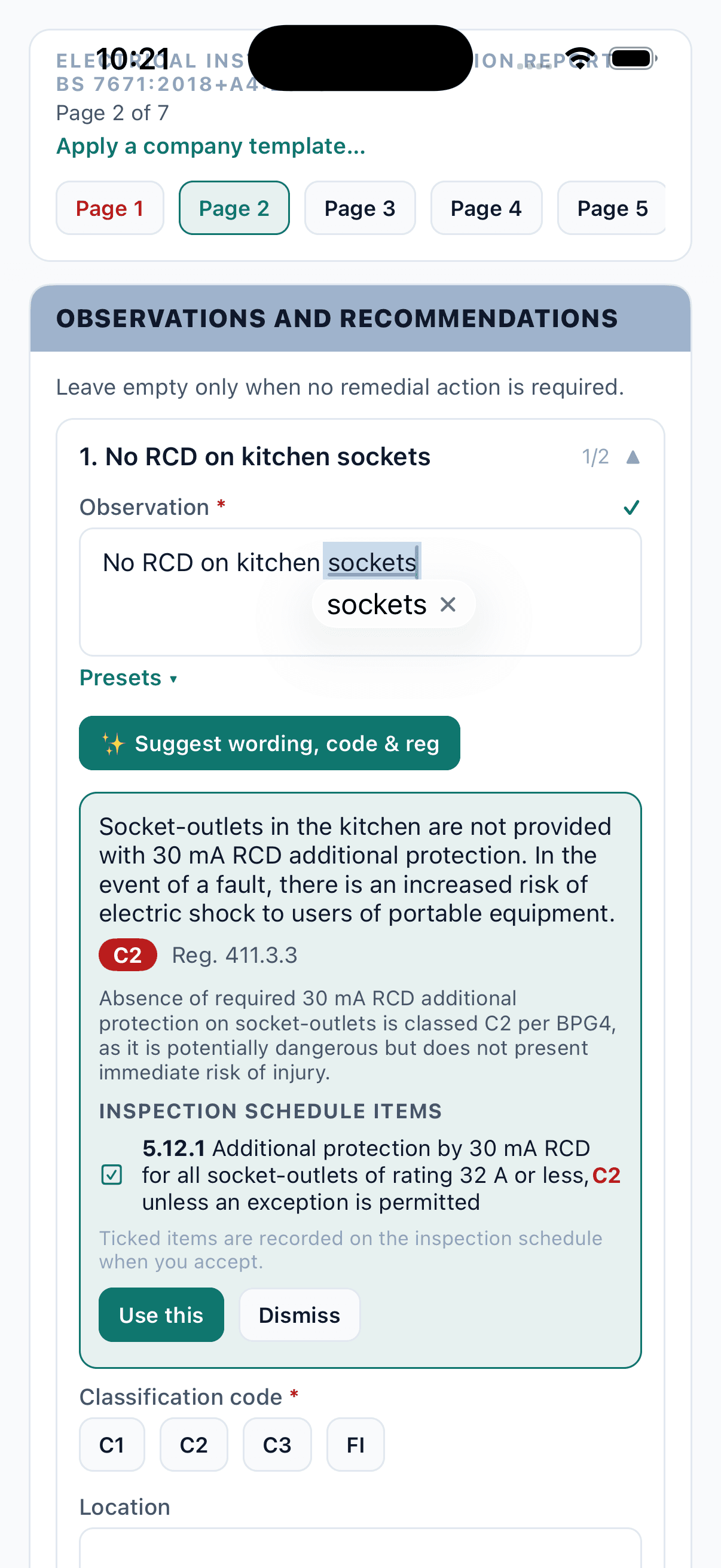
01 · Auto-filled
The details are already there.
Open a certificate from the job and the landlord, agent, property, tenant, job number and a generated record number are already on the page — carried straight from the works order. Your scheme registration, company templates, saved wording and calibrated instruments come from the office. Nothing is keyed twice.
- Client, property, tenant & job number from the works order
- Company templates start the certificate pre-filled
- NICEIC, NAPIT or Gas Safe number printed as the enrolment number
- Last certificate on the property copied forward, readings cleared
02 · AI support
AI assistance. Engineer judgement.
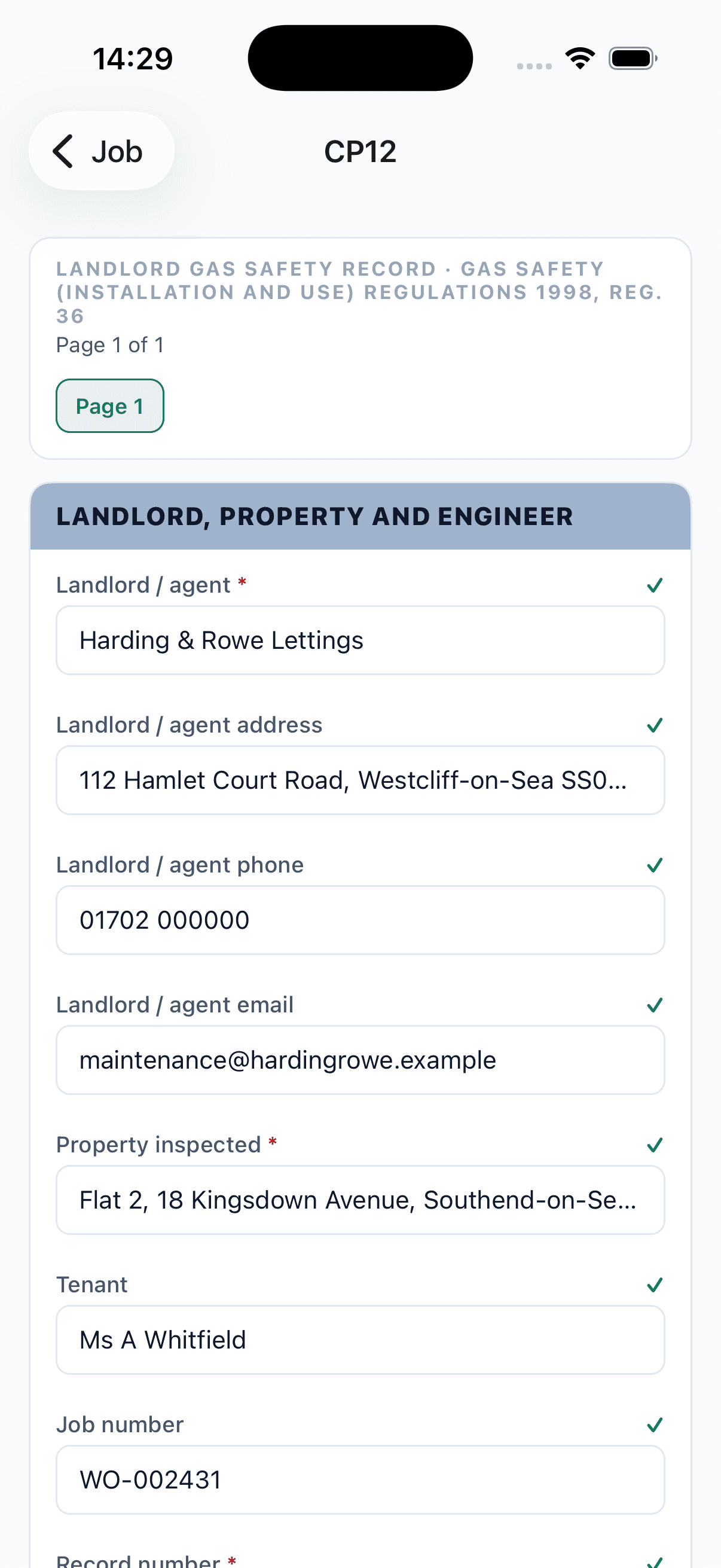
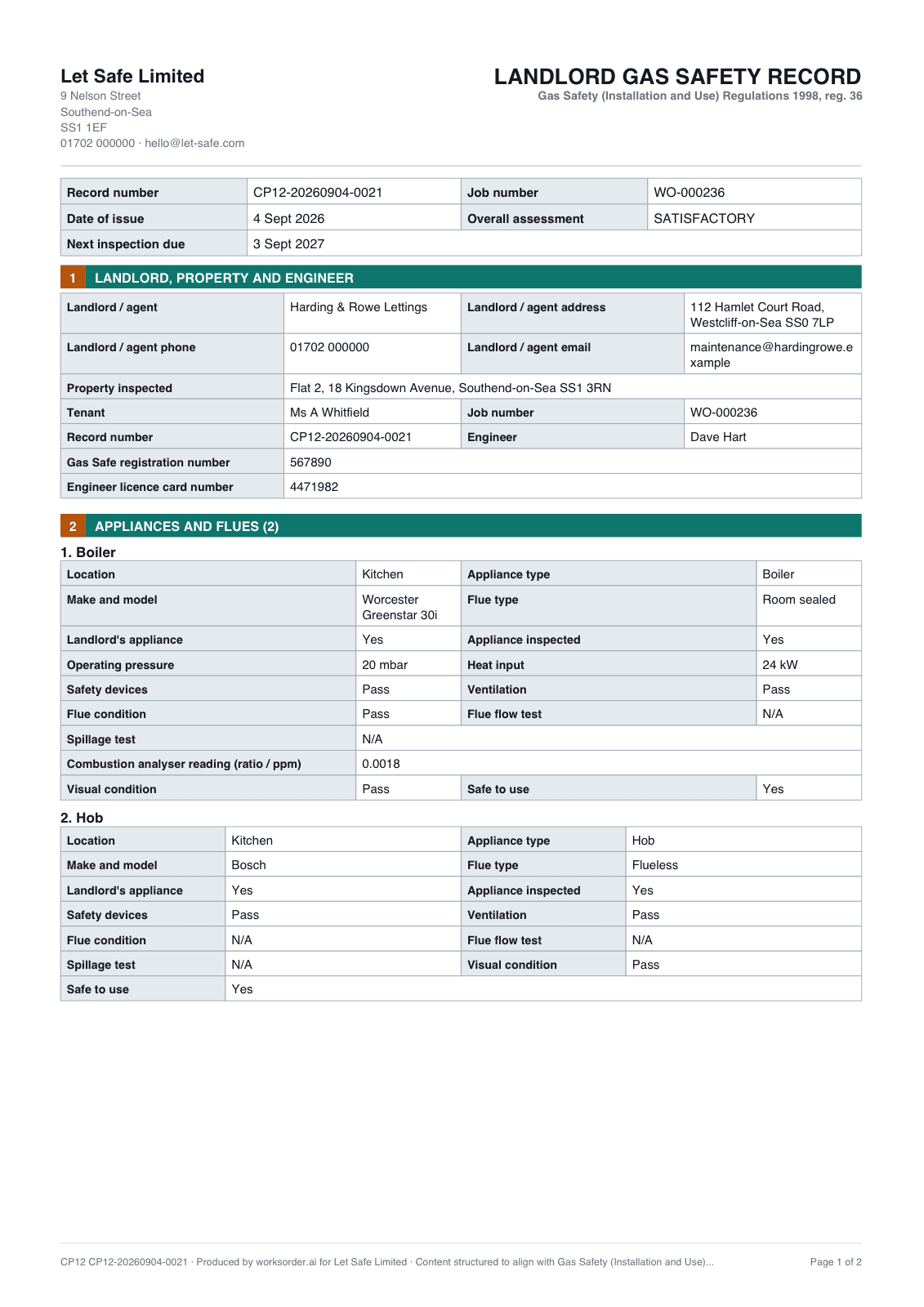
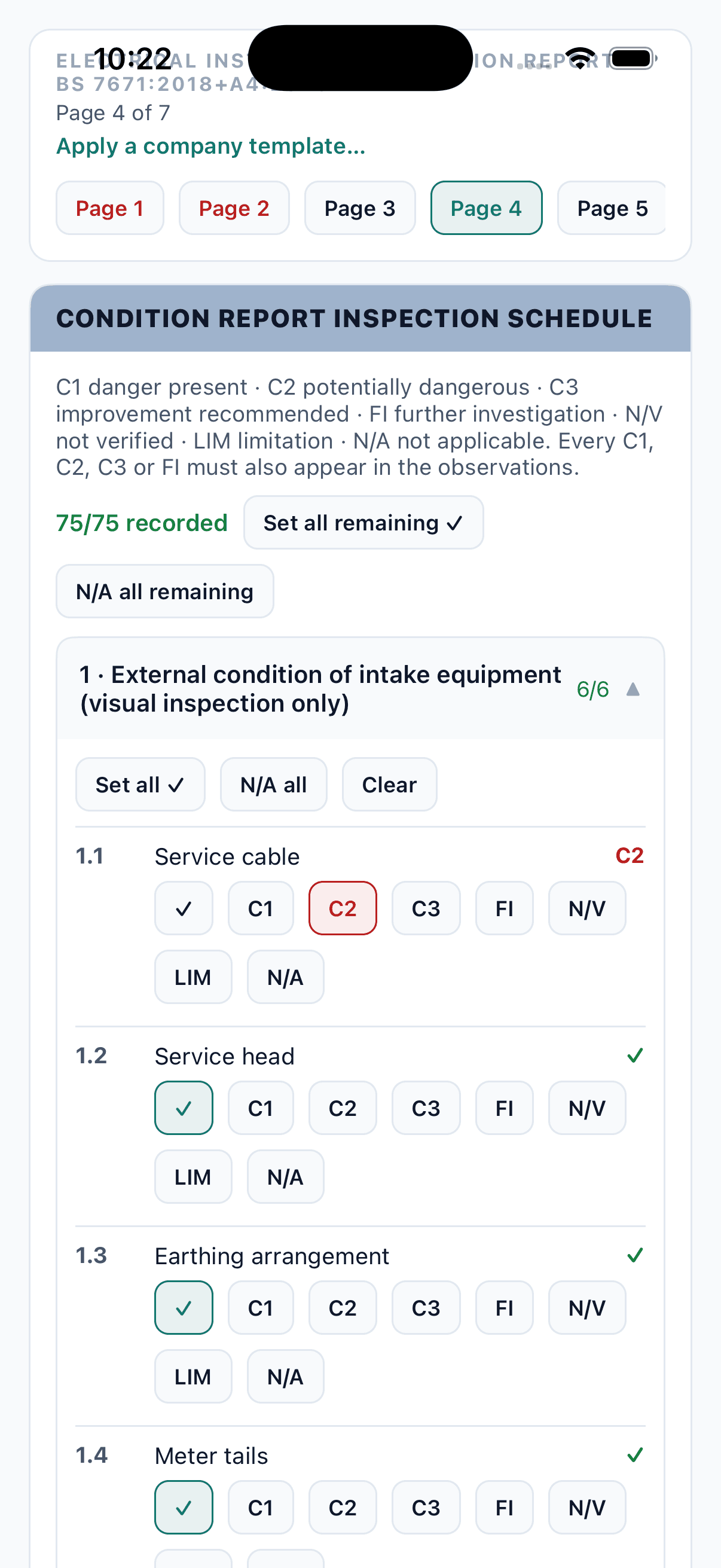
Type shorthand and back comes the observation as it should print — the wording, the regulation, and a suggested C1 / C2 / C3 / FI code. Photograph the board and the circuit chart builds itself: every way, the device on it, the rating, and Max Zs derived from the BS 7671 tables. The engineer checks, edits and signs — the suggestion is never the signature.
- Typos, abbreviations and half-sentences understood
- Codes suggested against Best Practice Guide 4
- Board photo → ways, devices, curves, ratings, RCD groups
- Max Zs derived; measured Zs flags red when it exceeds it
no RCD on kitchen sockets
Socket-outlets in the kitchen are not provided with 30 mA RCD additional protection. In the event of a fault, there is an increased risk of electric shock to users of portable equipment.
C2Reg. 411.3.3· schedule item 5.12.1
The engineer accepts it, edits it or ignores it. The certificate is theirs — it carries their signature, not ours.
- 01PhotographOne shot of the open board.
- 02ReadWays, devices, curves, ratings, RCD groups.
- 03BuildCircuit rows with Max Zs already derived.
- 04TestThe engineer checks the board and enters readings.
03 · Every certificate
Six kinds. Included in both plans.
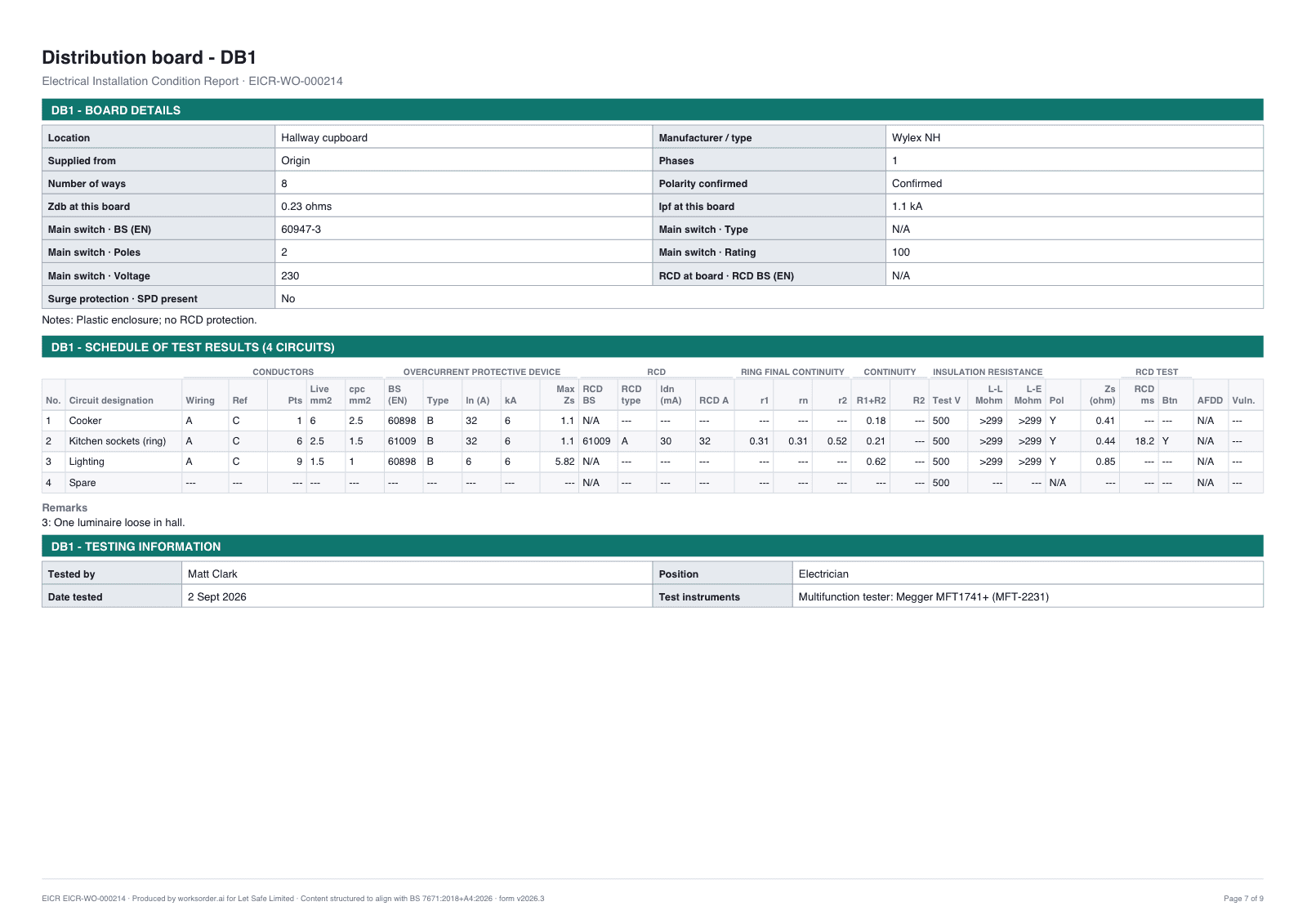
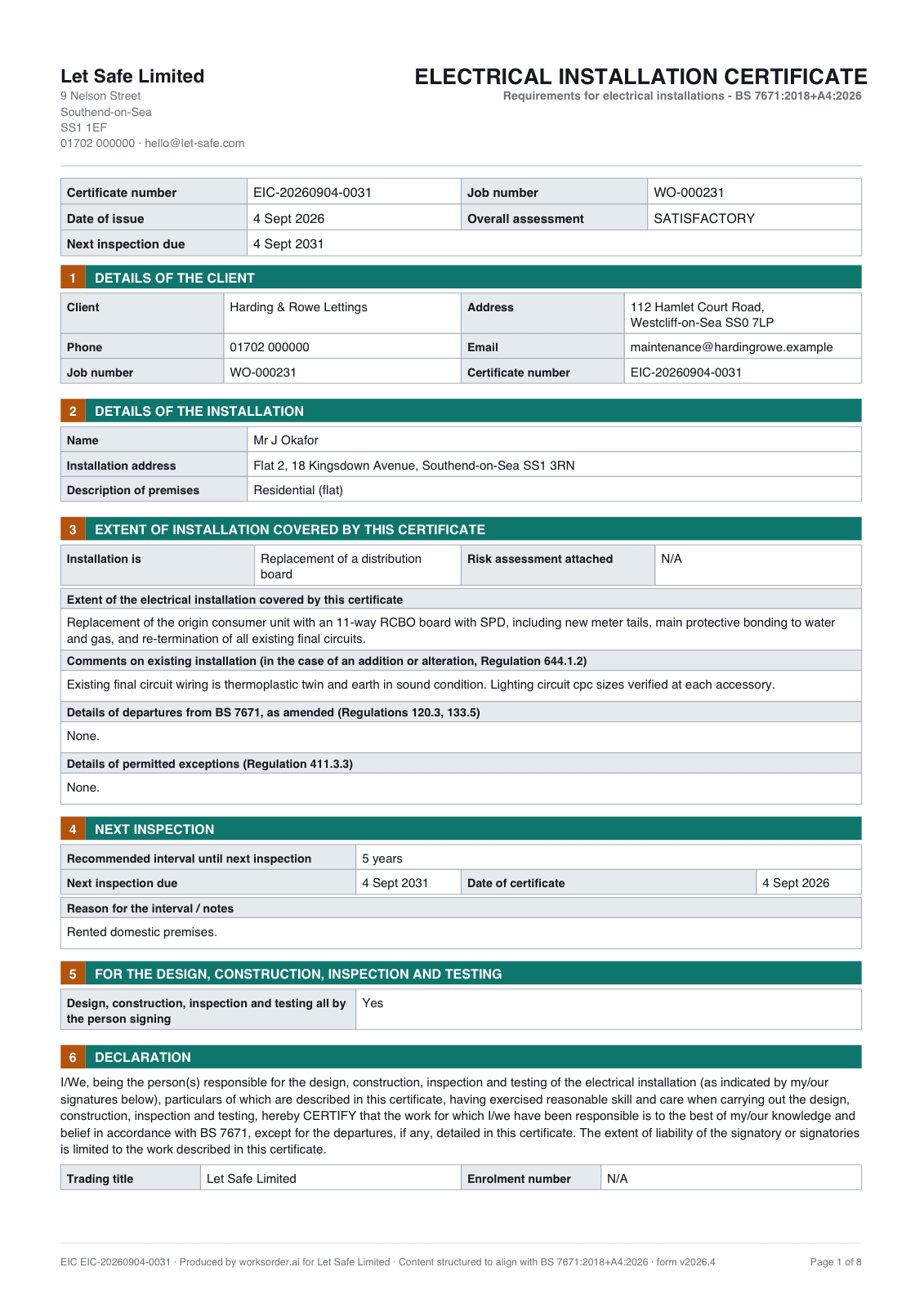
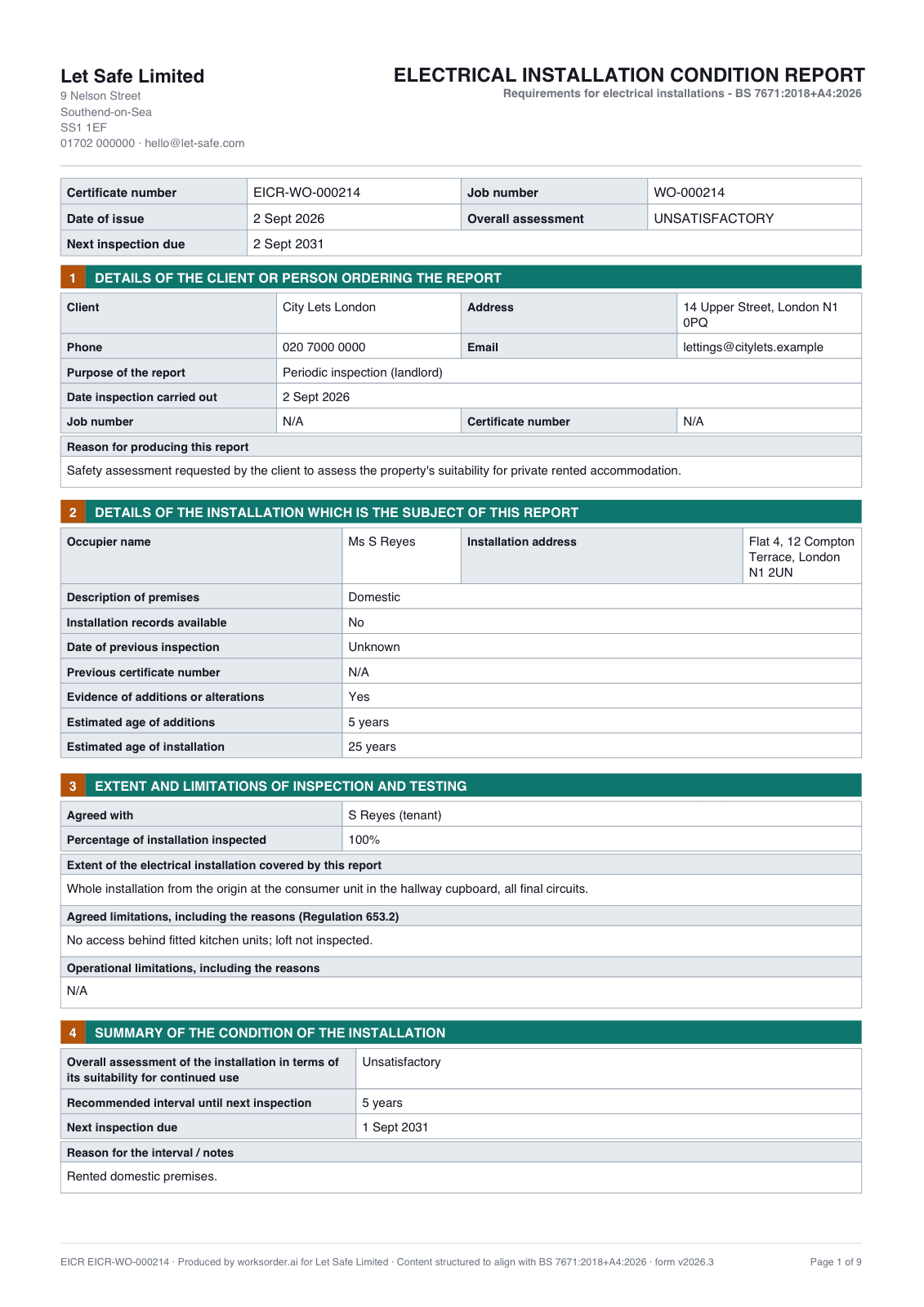
Each written in the app in the model form's own page order, offline — included in both per-seat and per-job plans. No per-certificate credits, no top-ups, nothing to run out of halfway through a Friday.
- EICRElectrical Installation Condition Report
- EICElectrical Installation Certificate
- MWMinor Electrical Installation Works
- CP12Landlord Gas Safety Record
- PATPortable Appliance Testing
- INVInventory & schedule of condition
Gas Safety — CP12
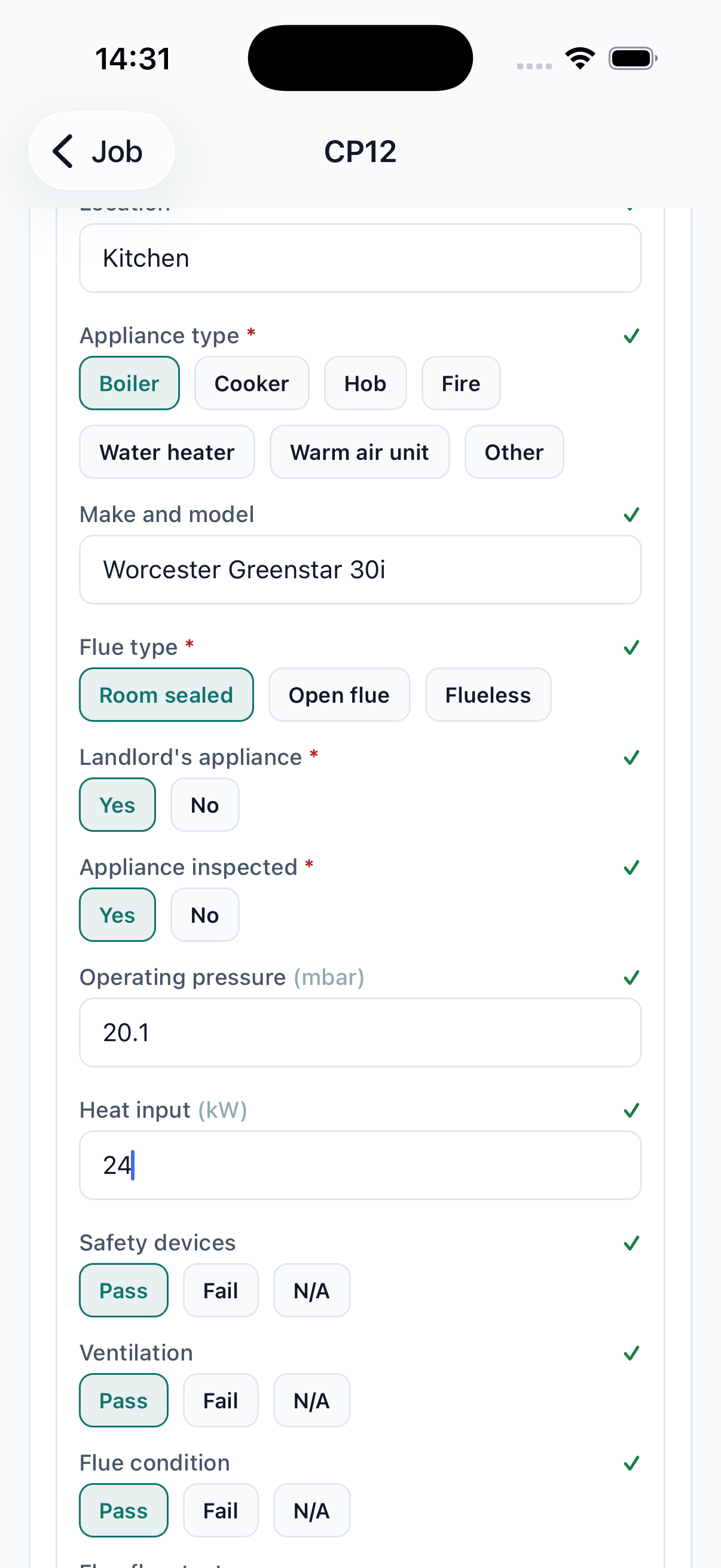
Gas, written the same way.
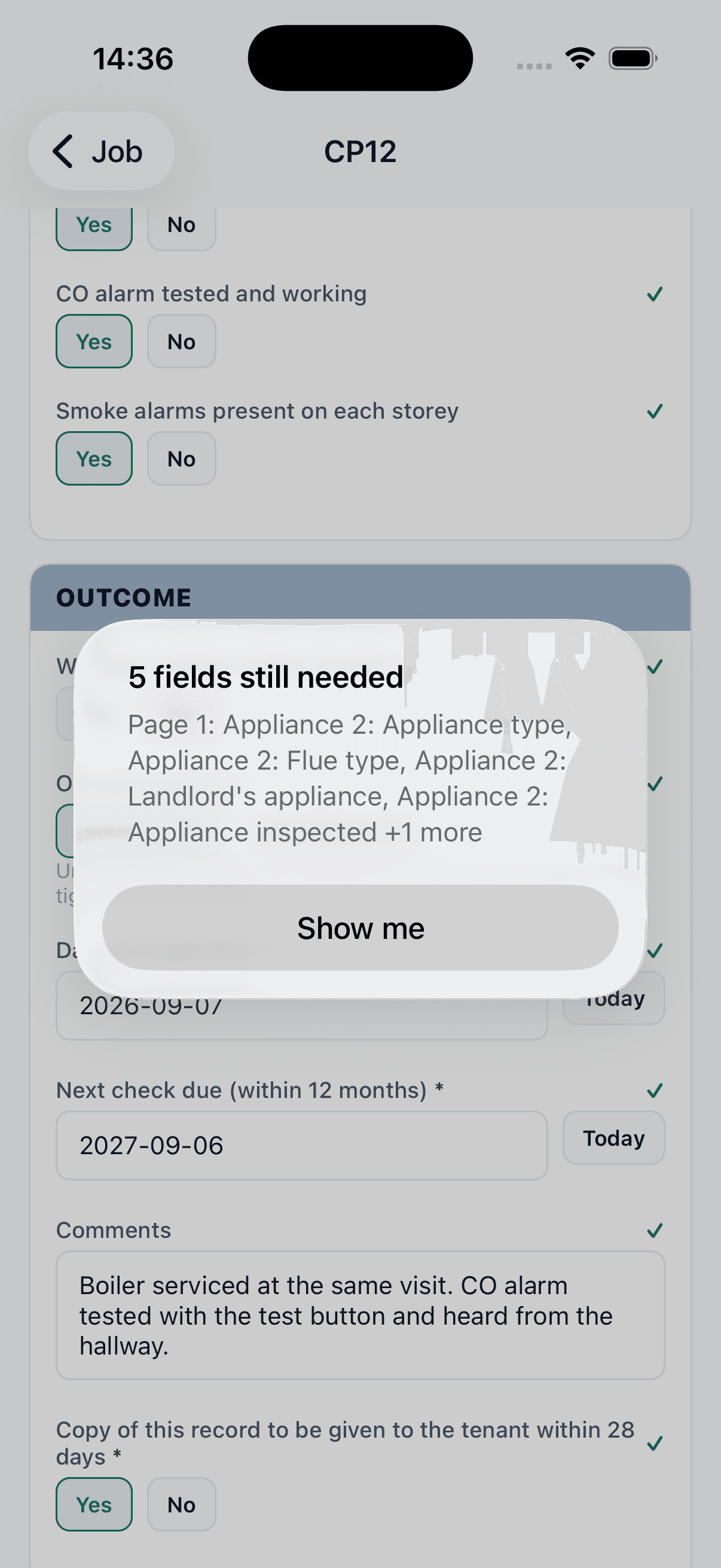
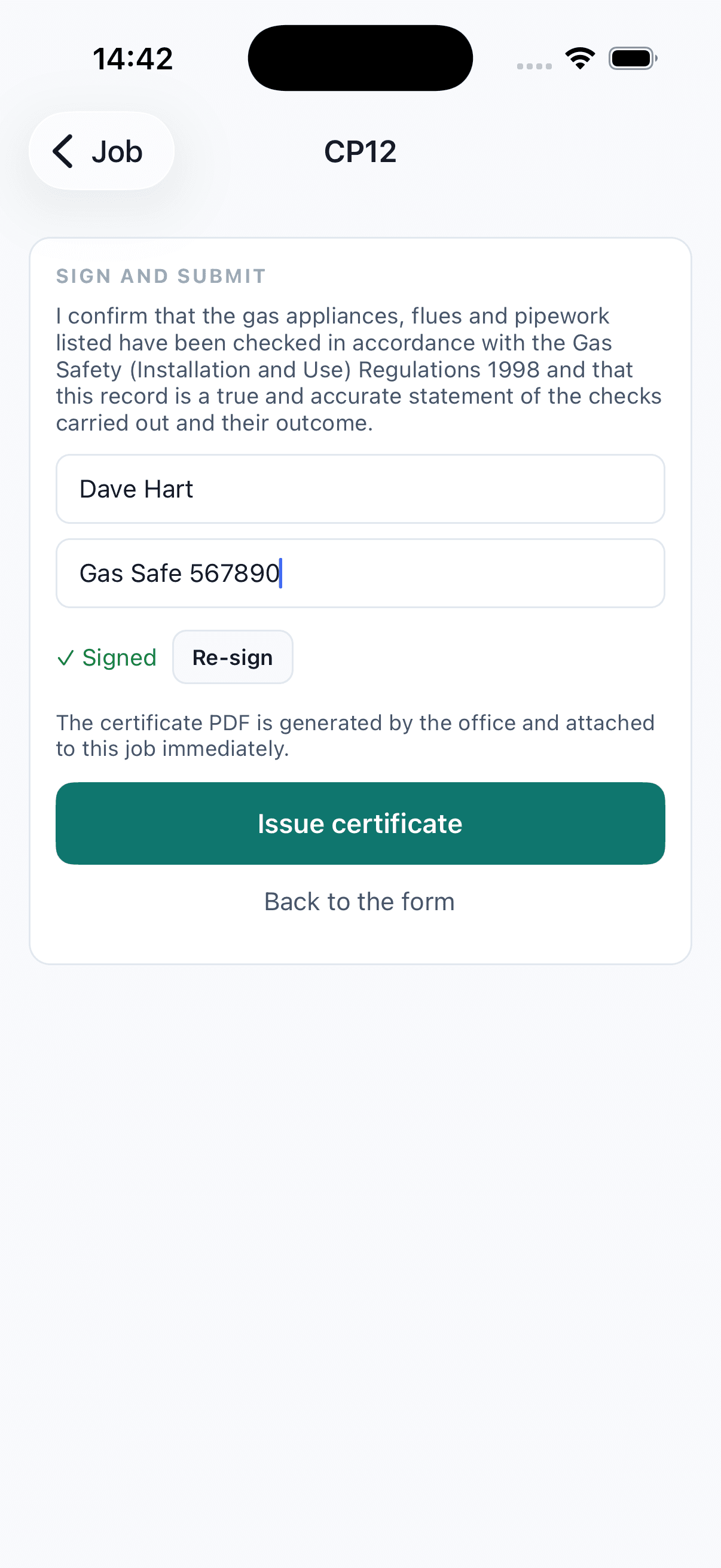
The Landlord Gas Safety Record follows the same discipline: appliance by appliance with pick-lists and Pass / Fail / N/A, installation checks, and a completeness check that walks the engineer to anything missing before the record can be signed. Where your rules allow gas to self-certify, it issues on the spot — no office round-trip.
04 · Stored & shared
Filed once. Found forever. Shared with your customers.
Issue renders the PDF on your letterhead — countersigned by your Qualified Supervisor where your rules require it — and files it against the property. Expiry is recorded, the renewal is raised before it lapses, and your agency customers don't have to ring for a copy: their certificates are there in their own portal, or delivered straight back into Fixflo and Dwellant.
- Filed against the property with its expiry date
- Renewal raised automatically before it lapses
- Every C1 and C2 becomes a priced remedial quote
- Customers self-serve certificates in the customer portal
- Pushed back into Fixflo and Dwellant with expiry dates
- Every version kept, superseded certificates archived
See it working
It starts with
one works order.
Start with a 10-minute introductory call about your business and the work you want to improve. If there’s a fit, we’ll arrange a one-hour session to scope your requirements and discuss a proposal.
Book a demo10 minutes · An introductory Google Meet call- ReceivedWorks order in01
- BookedTenant confirmed02
- CompletedSite records saved03
- InvoicedAgreed rates applied04