 worksorder.ai
Product — the engineer app
A smarter day on the tools.
From the first ETA to the completed job record. Keep the tenant informed, record safety checks, prepare certificates and capture further works from the same app.
Dan is on his way
NICEIC Approved · ECS Gold Card
The tenant's tracking link — no app needed
01 - Arrival
Expected at the door.
Share an ETA and the assigned engineer’s ID with the tenant. Your office and customer can follow the visit as it moves from en route to on site.
- Tenant tracking link with ETA
- Engineer name and ID
- Visit status shared with the office
- No tenant app to install
Dan is on his way
NICEIC Approved · ECS Gold Card
The tenant's tracking link — no app needed
02 - Pre-work checks
Check the site before the work.
Record the pre-work health and safety questionnaire against the visit. Keep the answers with the job so the office and customer can see the completed record.
- Hazards and access recorded
- Required PPE checked
- Answers linked to the visit
- Available in the completed job record
PRE-WORK H&S · WO-000119
Ready to start safely
Saved against the visit
03 - Certificates
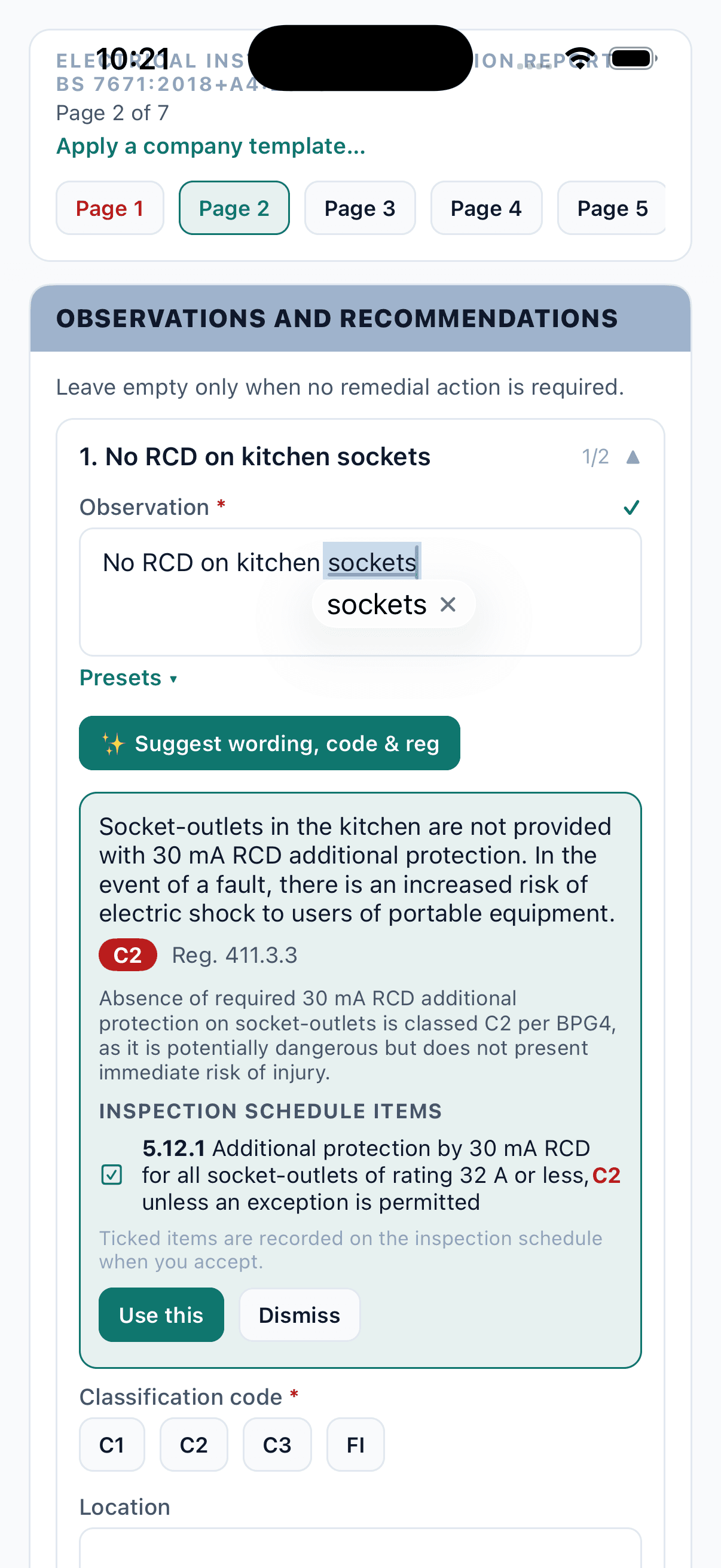
Customer details in. Engineer judgement next.
Open the certificate with customer and property details already filled in. Use your company templates, record findings offline and review AI suggestions before signing.
- Prefilled from the works order — no double entry
- Company templates and saved wording presets
- Observation wording & C1/C2/C3/FI codes suggested
- Countersigned by your QS and issued on your letterhead
04 - Board scan
Photograph the board. Keep the readings.
Photograph the board to prepare suggested circuit details. Review the devices, ratings and circuit labels, then enter and check the test readings yourself.
- MCB, RCBO, RCD, main switch, SPD, AFDD and blanks recognised
- Circuit labels read from the strip where legible
- Max Zs derived from the BS 7671 tables, 80% rule applied
- Low-confidence readings flagged for the engineer to check
- 01PhotographOne shot of the open board.
- 02ReadWays, devices, curves, ratings, RCD groups.
- 03BuildCircuit rows with Max Zs already derived.
- 04TestThe engineer checks the board and enters readings.
05 - Further works
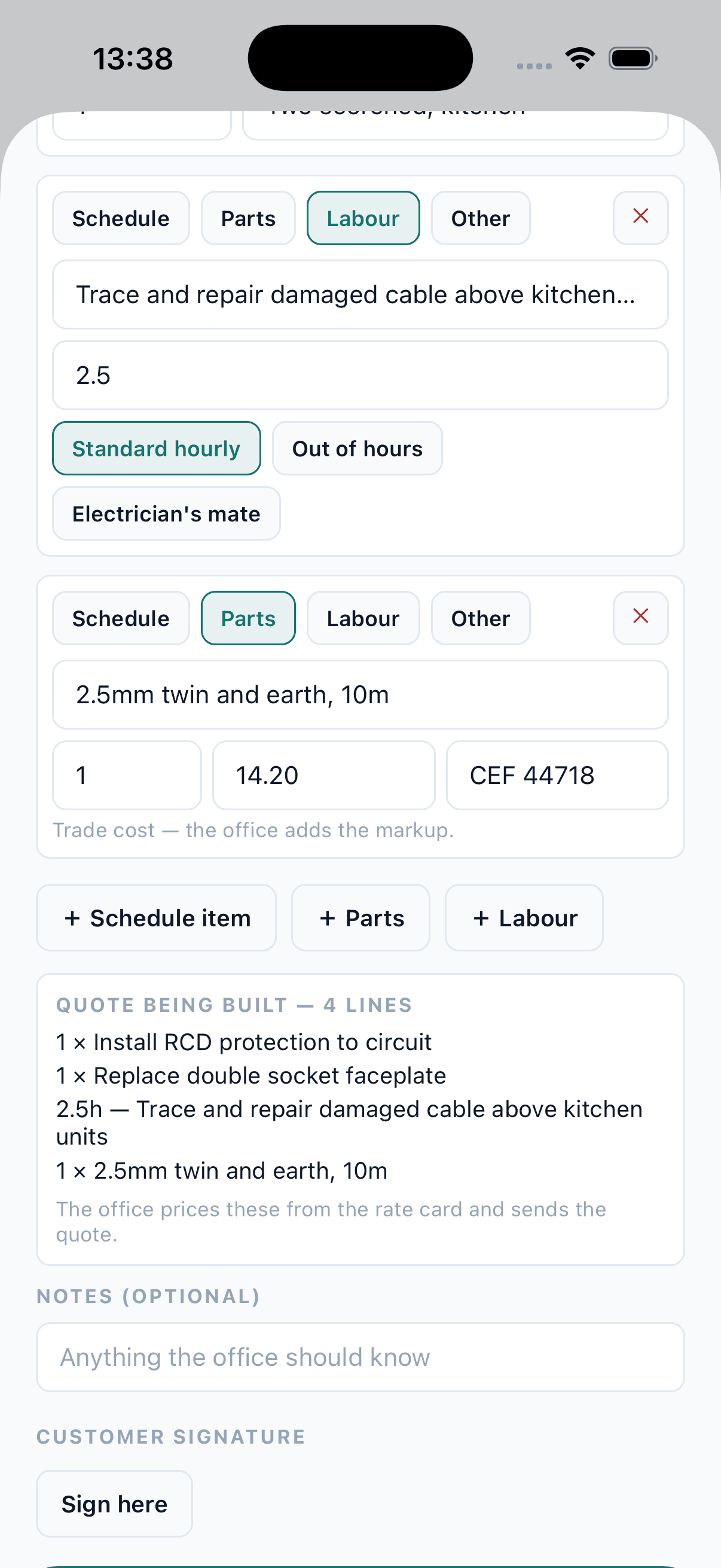
Further works recorded. Agreed rates applied.
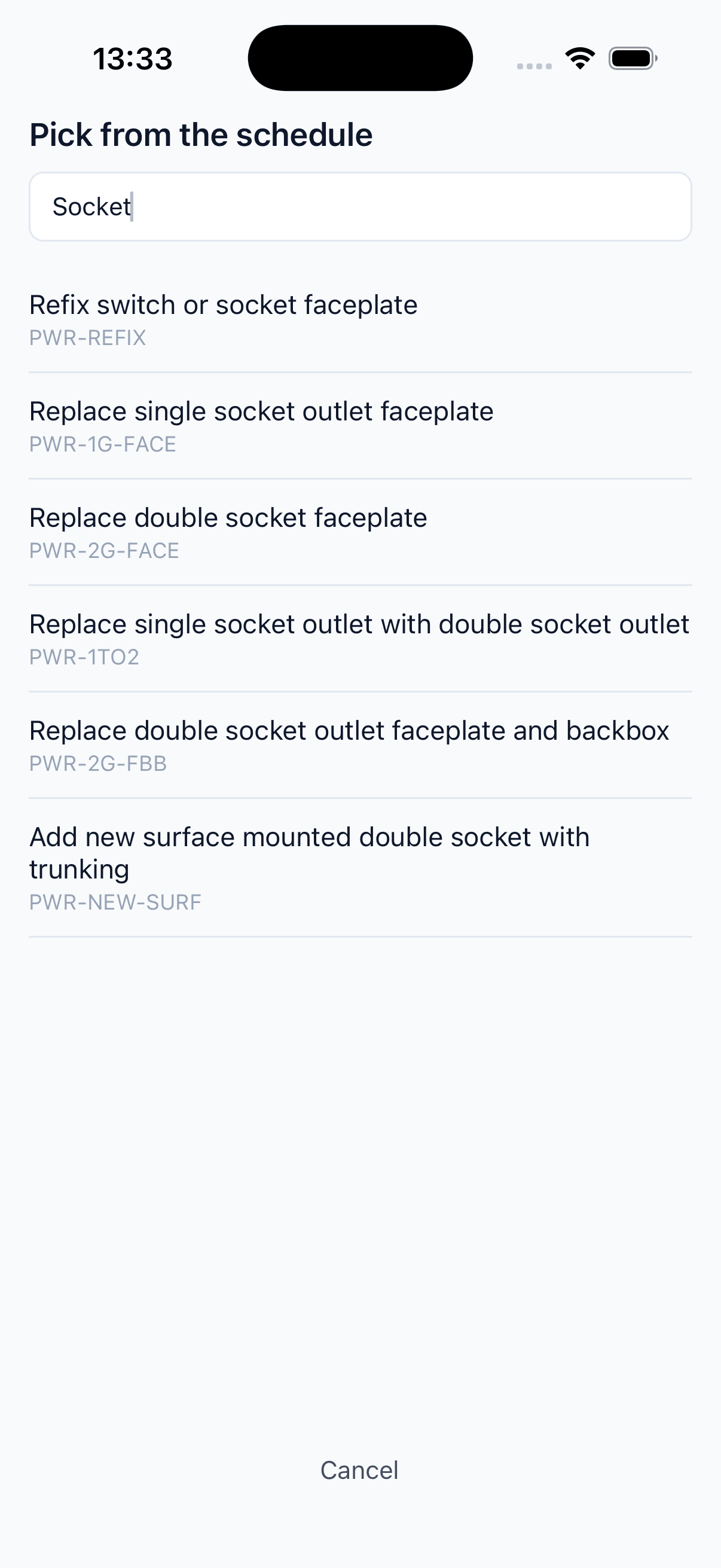
Select further works and quantities from your schedule of rates on site. The office receives a draft priced from the customer’s agreed rates, ready to review and send.
- Search your schedule of rates on site
- Agreed customer rates applied in the office
- Priced draft ready for office review
- Accepted works flow onto the invoice
06 - Completion
The visit is complete. The office can move on.
Completion passes the site records to the office. Your sign-off rules control when the report, quote and invoice are issued, with invoices then sent to Xero.
- Report, quote & invoice generated automatically
- QS gate or self-certify, per job type
- Pushed to Xero as authorised
- Remittance parsed and reconciled
Release rail — WO-000118
automatic
Gas & plumbing can self-certify and invoice on completion — the QS gate is per job type, per firm.
See it working
It starts with
one works order.
Start with a 10-minute introductory call about your business and the work you want to improve. If there’s a fit, we’ll arrange a one-hour session to scope your requirements and discuss a proposal.
Book a demo10 minutes · An introductory Google Meet call- ReceivedWorks order in01
- BookedTenant confirmed02
- CompletedSite records saved03
- InvoicedAgreed rates applied04